
Switched on by policy
Turn Sentry EDR on for a client in its hardening policy, in the same console as the rest of that client’s settings.
SENTRY EDR · WEB PROTECTION
Sentry EDR and Web Protection run inside Aegis, Command’s security module. Both use the same policy engine and client boundary as the rest of Command, and their detections land in Response Ops for your team to act on. Both are included in the one price.
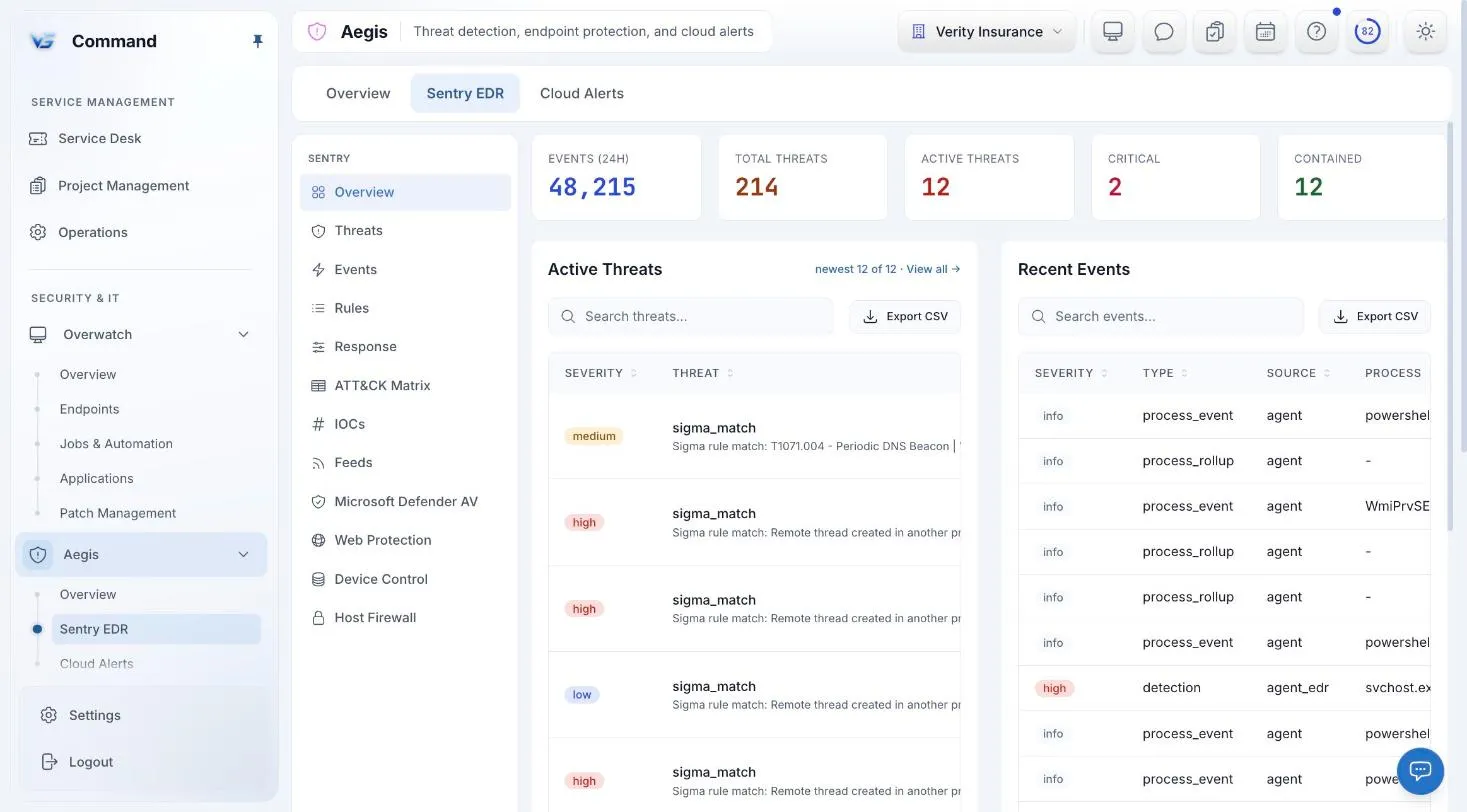
Command screenshot with sample data. Names are fictional.
SENTRY EDR
Sentry EDR is a section of Aegis. You switch it on for each client through that client’s hardening policy, so protection follows the same scoping as the rest of your policies.
Turn Sentry EDR on for a client in its hardening policy, in the same console as the rest of that client’s settings.
Command does not sell antivirus. It helps you manage the Microsoft Defender Antivirus built into Windows, in the same policy engine and scoping as Sentry EDR.
Rule-based automatic isolation fires only for clients where you have switched it on.
WEB PROTECTION
Web Protection is DNS filtering, a section inside Sentry EDR. It runs on the same policy engine and client boundary as endpoint protection.
DNS filtering is configured and reviewed in Command, next to the endpoint protection for the same client.
Some hosts need the DNS lock released, such as VPN or Active Directory hosts. Command shows those hosts as filtered, not protected, so you know where DNS can bypass the filter.
ONE PLATFORM
EDR and DNS settings use the same policy engine and the same client boundary as monitoring, patching, and Windows hardening. What they detect goes to one place.
Every incident is in Response Ops, in a needs-review queue, a handled-by-automation view, and a full audit view. Suppressing one always needs a reason.
Aegis also holds Cloud Alerts for Microsoft 365, with connectors and identity mapping that tie a cloud identity to its endpoints.
ONE CONSOLE
Every incident in one place, and playbooks whose riskier steps pause for a person.
Monitoring, patching, jobs and automation, and remote control, under policies at every scope.
Users, groups, conditional access, and mailboxes for every client tenant.
Microsoft 365, Microsoft Defender, Google Workspace, QuickBooks, and your own AI provider.
Service delivery, endpoints, security, Microsoft 365, and documentation in one console.
INCLUDED IN THE ONE PRICE
One price covers every Command module, including Sentry EDR and Web Protection. Unlimited technicians, month-to-month, and a free 30-day pilot on up to 50 endpoints.
FAQ
No. Sentry EDR and Web Protection (DNS filtering) are included in the one Command price of $6 per endpoint per month.
Yes. Sentry EDR is switched on for each client through that client’s hardening policy.
Into Response Ops, which has a needs-review queue, a handled-by-automation view, and a full audit view. A technician can open a ticket, suppress the incident with a reason, or resolve it.
On VPN and Active Directory hosts, the DNS lock has to be released, so DNS can bypass the filter. Command shows those hosts as filtered rather than protected, so you know which ones they are.
Book a demo for a guided tour, or apply for the beta to run Command free for 30 days with guided onboarding.