
Knowledge base
Runbooks, procedures, and environment notes for each client, with version history and restore.
DOCUMENTATION · CREDENTIAL VAULT
Documentation keeps each client’s knowledge base, assets, locations, and contacts in the same console as your tickets and endpoints. Credentials live in a vault with its own permission and its own encryption, not in documents.
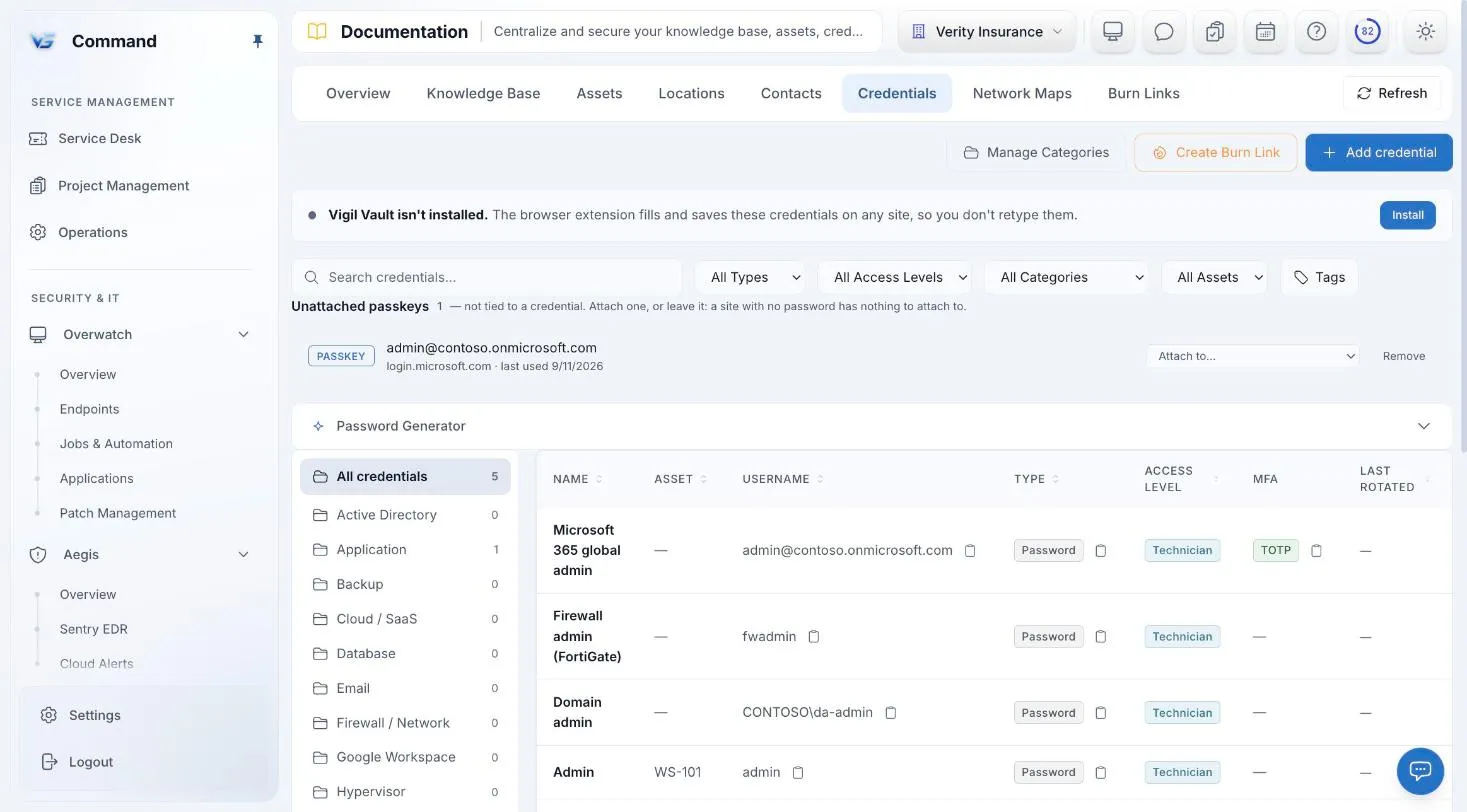
Command screenshot with sample data. Names are fictional.
DOCUMENTATION
Runbooks, environment notes, and the facts about each client’s estate, organized per client and kept current.
Runbooks, procedures, and environment notes for each client, with version history and restore.
Record each client’s assets, locations, and contacts. The Assets tab includes a network view.
Read and edit rights are role-based, and documentation is kept per client.
CREDENTIAL VAULT
Being able to read a client’s documentation does not let anyone read its passwords. The vault is its own boundary.
Credentials need a vault permission of their own, separate from documentation access.
Credentials are stored in their own encrypted table, using AES-256-GCM with a separate key for each client.
Password reveals, one-time (TOTP) codes, and share links are recorded with who did it and for which client.
A copied password clears from the clipboard after 30 seconds. The web app and browser extension keep no offline copy, and the mobile app asks for a biometric check before it reveals one.
ONE CONSOLE
Ticketing, todos, a shared calendar, and a knowledge base, with SOC and service work on one board.
Monitoring, patching, jobs and automation, and remote control, under policies at every scope.
Users, groups, conditional access, and mailboxes for every client tenant.
Endpoint protection and DNS filtering inside Aegis, on the same policy engine.
Service delivery, endpoints, security, Microsoft 365, and documentation in one console.
INCLUDED IN THE ONE PRICE
One price covers every Command module, including Sentry EDR and Web Protection. Unlimited technicians, month-to-month, and a free 30-day pilot on up to 50 endpoints.
FAQ
Yes. Credentials need their own permission, separate from documentation access, and are stored in their own encrypted table with a separate key for each client.
Each reveal is recorded with who did it and for which client. One-time (TOTP) code views and share links are recorded the same way.
Send it through a one-time share link instead of email or chat.
Yes. It is part of the one Command price of $6 per endpoint per month, with every other module, unlimited technicians, and no long-term contract.
Book a demo for a guided tour, or apply for the beta to run Command free for 30 days with guided onboarding.