
Needs review
The queue of incidents waiting on a technician’s decision, with counters so you can see how much is waiting.
RESPONSE OPS · PLAYBOOKS
Response Ops is where incidents land in Command, split by who owns them so nothing is silently dropped. Playbooks take on routine work, and in advanced playbooks, the ones that can change an endpoint or an identity, each advanced step pauses for a person’s approval.
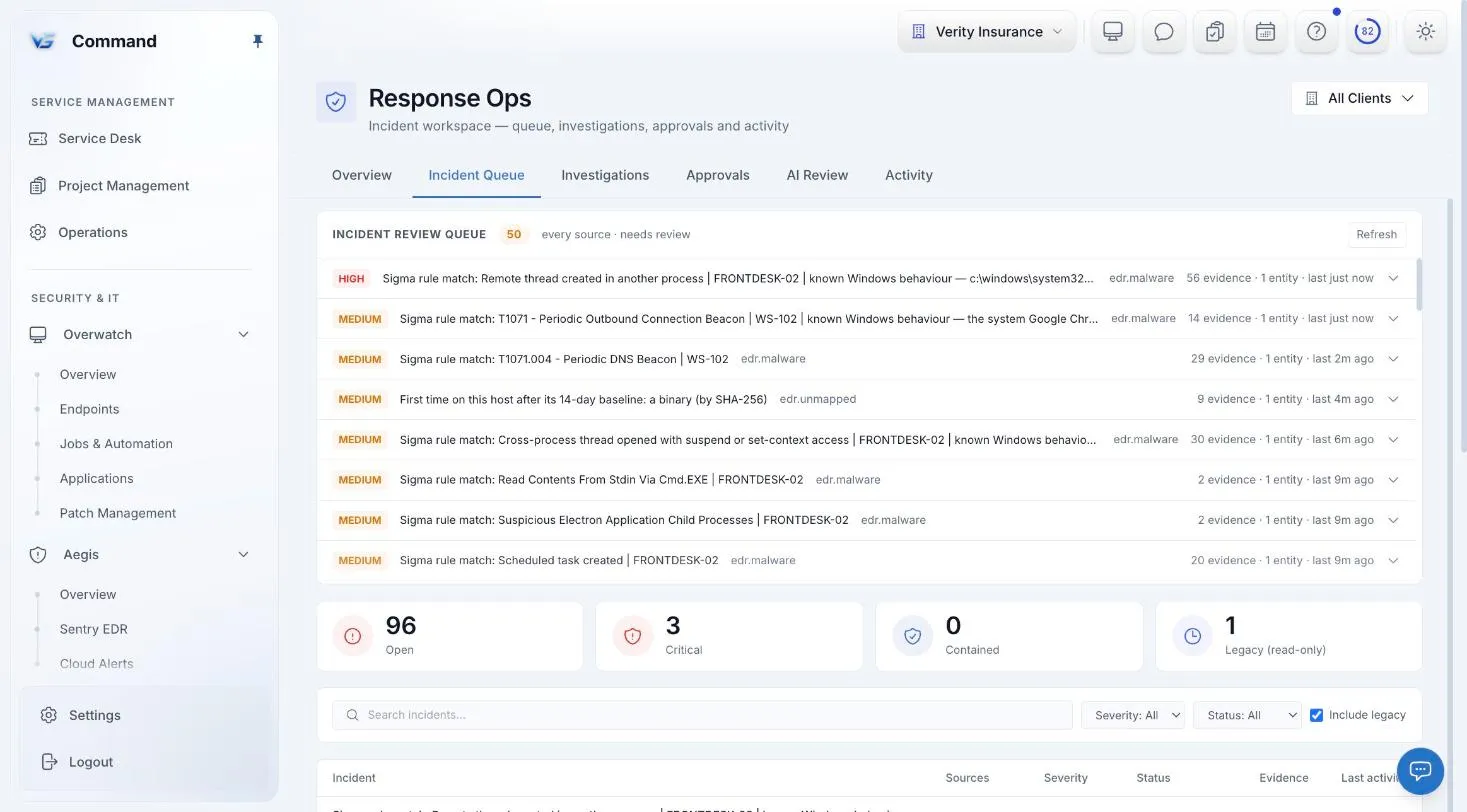
Command screenshot with sample data. Names are fictional.
INCIDENTS
Response Ops splits incidents into a needs-review queue, a view of what automation handled, and a full audit view, with counters so you can see what is waiting.
The queue of incidents waiting on a technician’s decision, with counters so you can see how much is waiting.
What automation dealt with stays visible, so you can check its work instead of trusting it blind.
An audit view of every incident and how it was handled, for governance and review.
Open a ticket, suppress, or resolve. Suppressing always needs a written reason; for a ticket or a resolution, a note is optional.
PLAYBOOKS
Every playbook is authored against one of two action bands. A baseline playbook cannot change an endpoint or an identity. An advanced playbook can, and each advanced step pauses the run until a person approves it.
Baseline playbooks cannot change an endpoint or an identity, so they are the safe place to start automating.
Advanced playbooks can change endpoints and identities, and every advanced step stops for a person before it runs.
Playbook approvals wait in the Approvals queue, alongside script, package, and workflow approvals.
EARNED TRUST
Shadow mode records what a playbook would have decided next to what your technician decided, so you can see how often they agree before you trust it.
Each shadow run records what the playbook recommended and the facts it used. When a technician gives a verdict on the incident, the ledger marks the recommendation confirmed or overridden.
A recommendation is scored against a person’s verdict. Bulk closes and board resets count as nothing.
Shadow mode is how you build that trust. Once you trust a playbook, you can promote it.
BRING YOUR OWN AI
Playbooks and rules handle routine work without AI. For steps that need more reasoning, such as triaging an unusual alert or investigating an incident, Response Ops calls the AI provider you connect. You pay your provider directly; we charge nothing for AI.
Use Anthropic, OpenAI, Google, or a self-hosted model at an address you set. Your API key is encrypted at rest with AES-256-GCM.
AI is off for each client until it is switched on for that client with consent.
Deep investigation keeps the evidence, the AI’s assessment, and its suggestions in separate sections. Investigate shows how much evidence it covered and what was missing.
No AI path takes a privileged action. Investigation stands down on incidents more than an hour old and puts an unclear answer on hold.
ONE CONSOLE
Endpoint protection and DNS filtering inside Aegis, on the same policy engine.
Ticketing, todos, a shared calendar, and a knowledge base, with SOC and service work on one board.
Monitoring, patching, jobs and automation, and remote control, under policies at every scope.
Microsoft 365, Microsoft Defender, Google Workspace, QuickBooks, and your own AI provider.
Service delivery, endpoints, security, Microsoft 365, and documentation in one console.
INCLUDED IN THE ONE PRICE
One price covers every Command module, including Sentry EDR and Web Protection. Unlimited technicians, month-to-month, and a free 30-day pilot on up to 50 endpoints.
FAQ
A baseline playbook cannot change an endpoint or an identity. In an advanced playbook, each advanced step pauses the run until a person approves it.
Shadow mode records what a playbook would have decided next to what your technician decided, and marks each recommendation confirmed or overridden, so you can see how often they agree before you trust it.
Yes, always. For opening a ticket or resolving an incident, a note is optional.
Anthropic, OpenAI, Google, or a self-hosted model. Your key is encrypted at rest, AI stays off for each client until it is switched on, and we charge nothing for AI.
Yes. It is part of the one Command price of $6 per endpoint per month, with every other module, unlimited technicians, and no long-term contract.
Book a demo for a guided tour, or apply for the beta to run Command free for 30 days with guided onboarding.