
Users and groups
Read and change users and groups in each client’s tenant.
MICROSOFT 365 · MULTI-CLIENT
Manage every client’s Microsoft 365 tenant from Command. Users, groups, conditional access, just-in-time admin, and mailboxes, with secure score, connection health, a standards library, and cloud detection packs for each client.
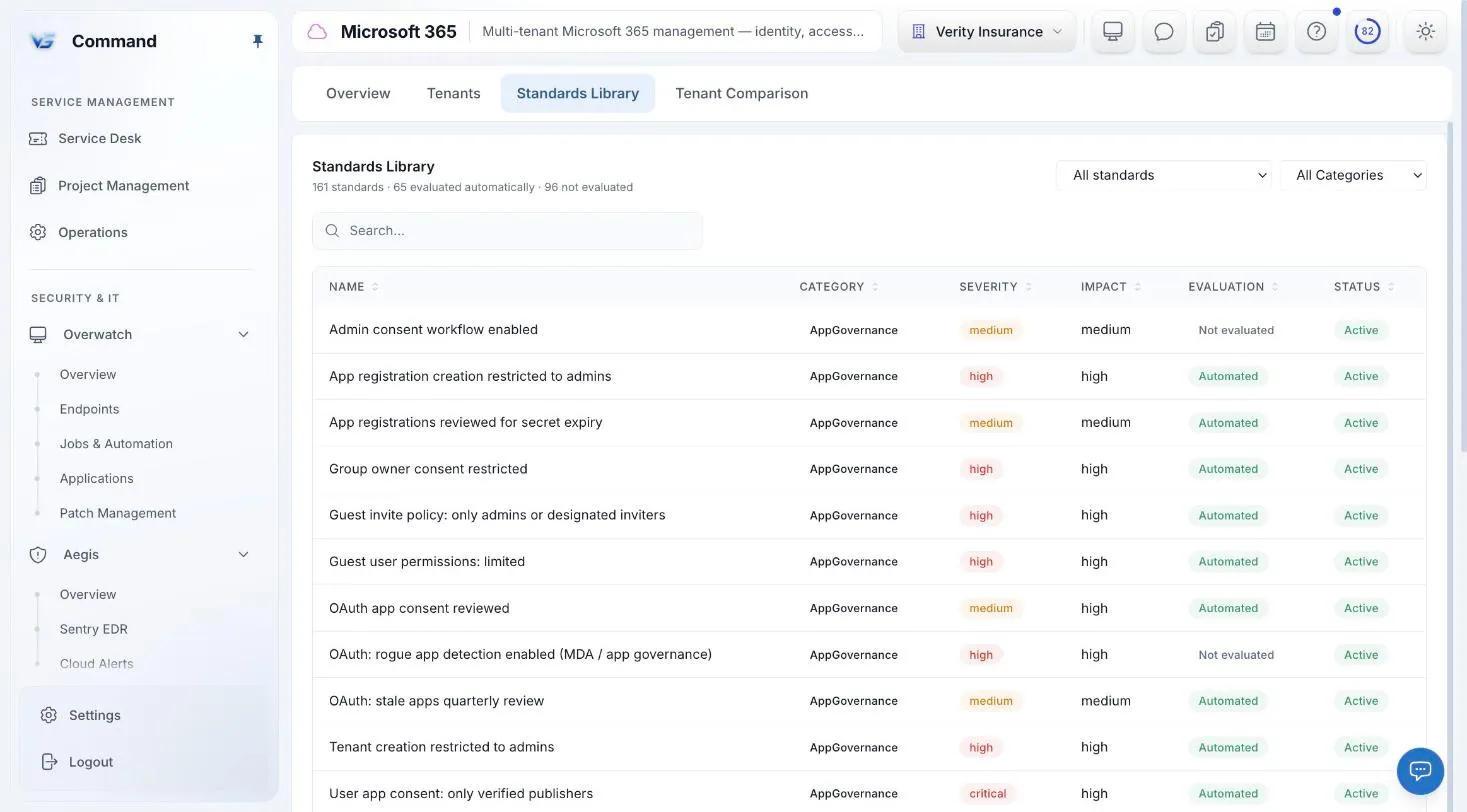
Command screenshot with sample data. Names are fictional.
ADMINISTRATION
Each client’s Microsoft 365 tenant has its own connection to Command. From there, your technicians administer every client from one console.
Read and change users and groups in each client’s tenant.
Review and change each client’s conditional access policies from Command.
Give admin access when it is needed instead of leaving standing admin accounts in every client tenant.
Manage each client’s mailboxes from the same place as their users and groups.
POSTURE
See where each client stands and whether Command can still reach their tenant.
Secure score for each client, and side by side across all of them on the Clients posture grid.
See whether each client’s Microsoft connection is healthy, along with Microsoft service incidents.
A standards library for your clients’ Microsoft 365 tenants, in the same module as their administration.
CLOUD ALERTS
Microsoft 365 alerts for each client arrive in Cloud Alerts inside Aegis, next to your endpoint security.
Turn on detection packs for each client’s tenant, and their alerts arrive in Cloud Alerts.
Choose for each client how cloud alerts become incidents. Each rule has a minimum severity.
An incident created from a cloud alert records which rule fired.
ONE CONSOLE
Endpoint protection and DNS filtering inside Aegis, on the same policy engine.
Every incident in one place, and playbooks whose riskier steps pause for a person.
Ticketing, todos, a shared calendar, and a knowledge base, with SOC and service work on one board.
Microsoft 365, Microsoft Defender, Google Workspace, QuickBooks, and your own AI provider.
Service delivery, endpoints, security, Microsoft 365, and documentation in one console.
INCLUDED IN THE ONE PRICE
One price covers every Command module, including Sentry EDR and Web Protection. Unlimited technicians, month-to-month, and a free 30-day pilot on up to 50 endpoints.
FAQ
Users, groups, conditional access policies, just-in-time admin access, and mailboxes can be read and changed from Command.
Yes. Each client has its own Microsoft connection, and secure score, connection health, and detection packs are all per client.
Yes, for each client, and across all clients on the Clients posture grid.
Yes. It is part of the one Command price of $6 per endpoint per month, with every other module, unlimited technicians, and no long-term contract.
Book a demo for a guided tour, or apply for the beta to run Command free for 30 days with guided onboarding.